


Why Choose ScrollShot? The Ultimate Solution for Seamless Long Screenshots on iOS
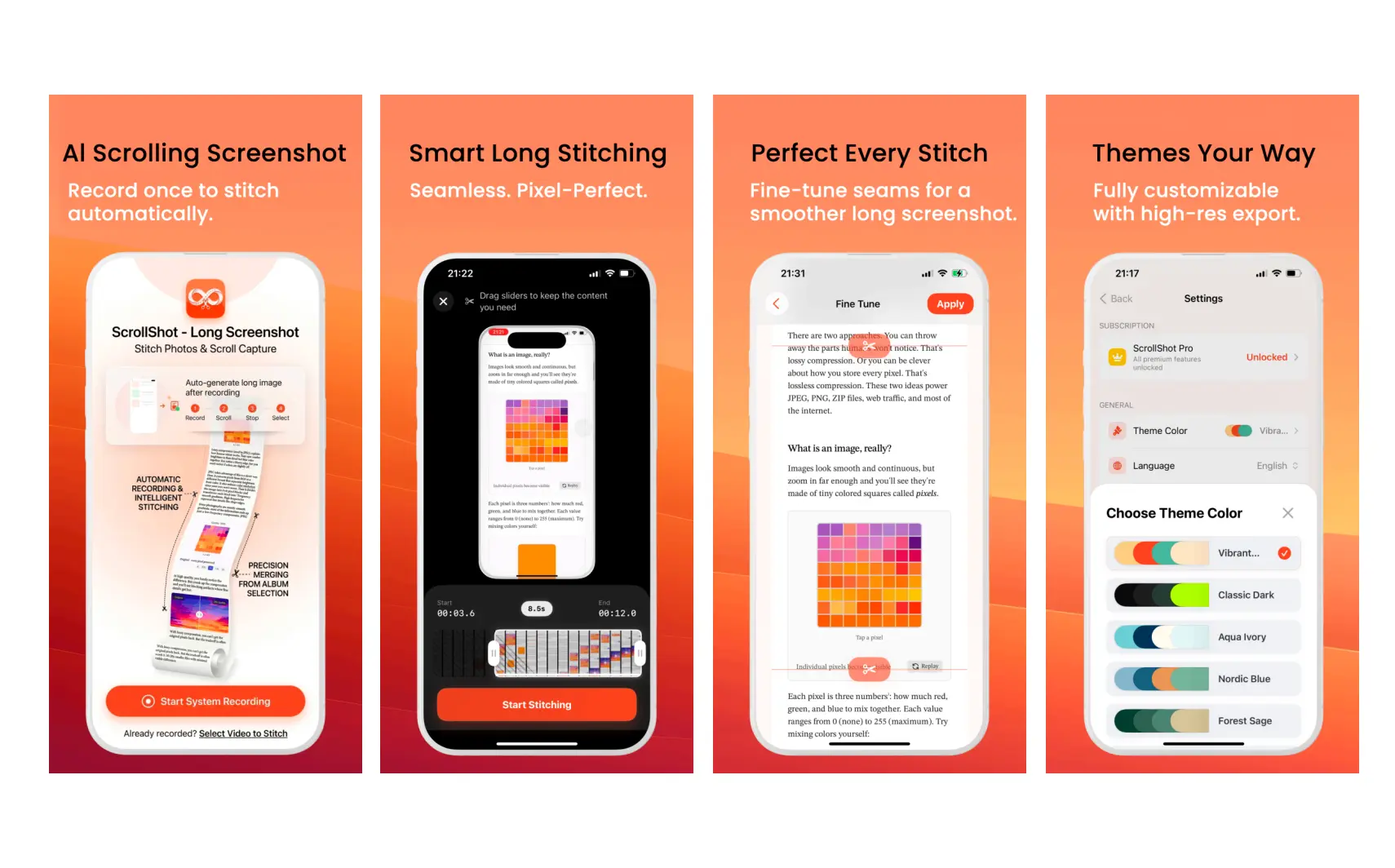
My wife is a data analyst with nine years of experience. Her daily work often involves capturing massive spreadsheets, saving deep industry reports, and keeping complex pages as reference material.
She has asked me the same question many times:
Why doesn’t the iPhone have a one-tap scrolling screenshot feature?
As a developer, I realized quickly that she was not alone. Many iOS users still struggle when they need to preserve long webpages, chat threads, reports, or AI conversations.
Why long screenshots still feel harder than they should
The usual workflow is fragmented.
- A cluttered photo library: One conversation can easily become a dozen separate screenshots.
- Inefficient manual stitching: Third-party stitching tools often create awkward seams, misaligned text, and extra cleanup work.
- More friction when sharing: The recipient still has to piece together the context from multiple images.
A good long screenshot tool should do more than stitch images together. It should turn scattered content into a clean, continuous, trustworthy artifact.
ScrollShot’s core idea: record once, stitch automatically
To solve this problem properly, I spent four months refining ScrollShot. It is more than a collage tool. It uses video frame extraction, duplicate filtering, and overlap matching to turn a scrolling screen recording into a high-resolution long image.
Auto Stitch: record-to-capture
Start an iOS screen recording, scroll through the content, and stop when you reach the end. ScrollShot identifies useful frames, matches the overlapping regions, and generates one complete long screenshot.
Auto-Stitch demo: record once, scroll once, and let ScrollShot generate the long screenshot.
This works well for long webpages, articles, chat threads, order details, app settings, and any scrolling content you want to preserve in full.
Manual Stitch: free, controlled, and useful for existing screenshots
If you already have multiple screenshots, ScrollShot also supports manual ordered stitching. Select the images in the order you want, and the first image becomes the top of the final long screenshot.
Manual stitching is useful for transaction records, partially overlapping pages, screenshots collected over time, and any flow where exact ordering matters.
Why it can be your best choice
ScrollShot is not trying to be a heavy editor. It is designed to make a common capture workflow feel clean, reliable, and fast.
Privacy first
Screenshots often contain private messages, order details, account pages, or work material. ScrollShot is designed around a simple principle: keep the workflow focused and avoid unnecessary data collection, registration, or advertising friction.
It should feel like a precise utility that is ready when you need it.
Efficiency reimagined
Traditional stitching can take several minutes: capture, sort, crop, inspect, export. ScrollShot compresses the workflow into a shorter loop: record, select, generate, review, save.
For people who capture long content regularly, that difference compounds quickly.
High-quality output
A long screenshot is only useful if it stays readable. Spreadsheet numbers, chat bubbles, webpage text, and documentation details should remain clear after export.
ScrollShot’s workflow is built to preserve quality so the final image is not just long, but readable.
Useful across everyday scenarios
ScrollShot is not limited to webpages.
- Social media: Archive long posts and conversations from iMessage, Instagram, X, and more.
- Web resources: Capture articles, tutorials, product docs, and research pages for later reference.
- AI conversations: Save long insights from ChatGPT, Gemini, Claude, and other AI tools.
- Any content worth keeping: When a scrolling page matters, ScrollShot helps turn it into something easy to save and share.
Built with independent craftsmanship
As an independent developer, I value every piece of user feedback. Since launching in March, ScrollShot has gone through multiple iterations.
The goal is simple: build an intuitive, stable, and powerful long screenshot tool for the iOS community.
Ready to try a smoother long screenshot workflow?
Download ScrollShot to turn screen recordings into clean long screenshots, or use free manual stitching for screenshots you already have.
Open in the App Store